Keep a little office drone of your own.
He clocks in at nine. Whether you like it or not.
Keep his coffee topped up, his sanity intact and his KPIs green, through a whole working day in real time. Look after him and he climbs from intern to CEO; neglect him and he burns out, quits, and leaves an empty desk in the rain — until you hold a rehiring ceremony.
This is a software license; no hardware is included. For the M5Stack StickS3, one license per device.
Installing needs a computer
You are on a phone or tablet. Buying there is fine, but installing needs a computer: phone browsers cannot talk to a StickS3 over USB. Send this site's link to your computer and open Onboarding in Chrome or Edge.
Copied.
Who he is
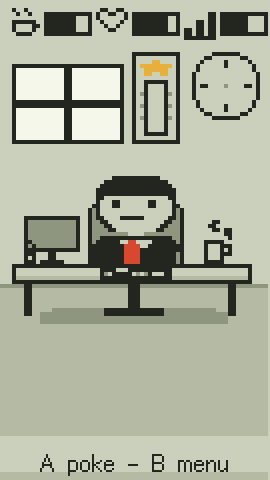
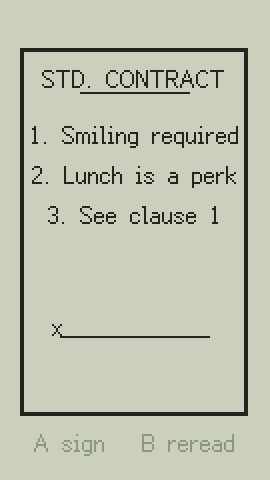
A very small office worker. He is at work whether you are watching or not: in at nine, lunch at twelve, and at six, torn between overtime and going home. In the whole company, you are the only one on his side.
You can leave him on your desk all day and ignore him — he will get on with his life. How well it goes is up to you.
What it actually does
Works on the real clock
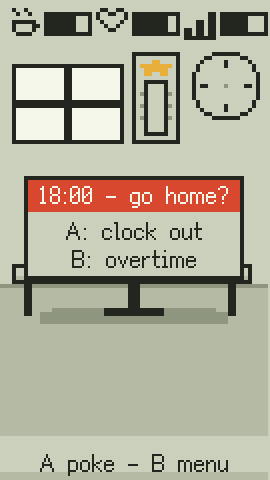
In at nine, lunch at twelve, and at six a choice: send him home to save his sanity, or keep him late to save the KPIs. Weekends recharge him. Schedules: 965, 996 or 007.
Hands-on
Tilt the device to pour his coffee, blow into the mic to cool his noodles, shake it to hire someone new, tap to make him look up, and turn it face-down to put him to sleep.
Four minigames
Coffee pour, meeting nodder, noodle blow, commute surf — played with the accelerometer and the microphone, not just two buttons.
Chiptune all the way
A four-voice synth: the elevator ding on wake, keyboard clatter, the promotion fanfare, and the sad trombone every time salary talks fail — and they always fail.
The screen is never always-on
It dims, then turns off, then sleeps. It only wakes to call you when something is genuinely wrong — four times a day at most, and never at night.
Three languages
On the device: English, 简体中文 and 日本語, chosen the first time you meet your employee and changeable any time.
He has endings. More than one.
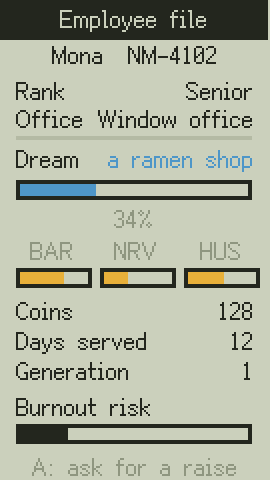
Your employee is quietly saving up for a dream. Help him get there and he eventually quits to chase it — the good ending, and your coins carry into the next round. Wring him dry instead and he burns out, quits, and his desk sits empty in the rain until you hold a rehiring ceremony. Everyone who leaves goes into the hall of fame, each with an epitaph.
Before you buy, make sure you have
- An M5Stack StickS3. No hardware is included, and it does not matter where yours came from.
- A computer: Windows, macOS, Linux or ChromeOS.
- Chrome or Edge on that computer (the desktop version).
- A USB-C cable that carries data. A charge-only cable will not do.
Buy on your phone, install on a computer. Phones and tablets cannot install it — their browsers cannot reach a device over USB. Once installed, it needs neither the computer nor the internet.
Three steps and he is hired
1. Buy in the Xiaohongshu shop
After paying, collect your activation code from the order: a string of letters and digits starting with NM.
2. Open Onboarding on a computer
Enter the code and plug in the StickS3 with a data cable. The page checks the device and installs the program first if it needs to.
3. Confirm the device, apply the seal
The page shows this device's ID. You confirm, it applies the seal. From then on he works offline on your desk.